Why I Use Uruky, a Private Search Engine
This post was last edited 2 months, 4 weeks ago.
I've been paying for Uruky search engine for several months now. Uruky's software engineer, Bruno, reached out to me in April with an offer to try it for free for a limited period; after that I began paying for the service.
You might be wondering why someone would pay for a search engine when there are good privacy alternatives available for free. I put this question to Bruno last month; you can read his take on paying for private search in my interview and in the article Why pay for search? on Uruky's website.
Switching to a privacy search engine developed by a tiny team is not as straightforward as, for example, switching from WhatsApp to Signal, but I think it's worth considering.
About private search engines
Up until recently, I used DuckDuckGo as my search engine. I would still recommend this to friends, family, colleagues, students as a good option, because it is so easy to set it as your new default search engine in any browser.
Our searches say a lot about us and should be kept private; this data should not be for sale. Privacy search engines promise to keep your searches truly private, whereas a company like Google actually earns its money with the searches you do on their search engine.
I have experimented with other private search engines, like Startpage, Brave Search, Qwant, Ecosia and SearXNG.
Startpage and SearXNG are examples of metasearch engines, which use the results of existing search engines, such as Google or Bing. Additionally, SearXNG is software that needs to be hosted by someone, either through self-hosting or finding the webpage of someone who will host an instance for you.
The search engines above each have their unique angle to user privacy. Ecosia has an additional focus on climate, for example, stating on their main page:
We use 100% of profits for the planet
Qwant is French and has data servers in the EU, which has stronger privacy laws with GDPR. Brave Search has the advantage of being built into the Brave browser by default, making Brave a good tool to recommend to people new to privacy, and it does not rely on Big Tech search indexes. Startpage uses Google search results, is based in the EU (The Netherlands) and focuses on anonymity.
While some search engines rely on existing big web crawlers like Google or Bing, anonymising the search data, others have made their own, albeit smaller search indexes, or offer a combination of these.
There are several good articles on search engines, such as 5 privacy-focused alternative search engines to Google on Proton's blog, and Search Engines on Privacy Guides.
Uruky and Kagi
This brings me to a unique set of search engines: Uruky and Kagi. In his interview with me last month, Bruno wrote:
Then there are options like Kagi or Uruky, which put a more "conventional spin" on search, by selling great search as the product, instead of selling ads to advertisers. As a consumer, you pay directly and financially, for the "non-enshittified" search experience.
The New Oil and Techlore cover Kagi in their recommendations, with Techlore stating:
Kagi is a paid search engine with its own index, no ads, and no tracking. Funded entirely by subscriptions rather than data collection. The paid model removes the conflict of interest that shapes most search engines. Worth considering if you're frustrated with ad-heavy results and willing to pay for a cleaner experience.
Uruky has not received such coverage yet as it is relatively new, but it operates on a similar model: you pay for the product with money, in order to avoid paying by other means (advertising, sale of your data).
When I asked Bruno how Uruky differs from Kagi, he responded that
It's cheaper and based in the EU. It also collects no personal information (Kagi collects your email, for example).
He adds that Uruky also allows for more personalisation (which I can attest to) and that customers will be given the source code of Uruky after subscribing for 12 months. He does concede that Kagi has a wider range of products, including AI summaries, news, etc.
If all of this has piqued your interest in Kagi, you can find their pricing page here. The rest of my article will focus on Uruky.
Uruky: what works well?
- Transparency and customisability
Uruky's Settings page has helped me gain some insight in how search results come to be, and how these can differ quite dramatically depending on the search providers you select.
I like that as a user I have control over the priority of search providers, and can exclude any I don't want. In this way, Uruky is open and also helpful and educational about what's going on behind the scenes when you do a search.
- A simple user interface with quick access to alternative results
I've seen some criticism of the simple appearance of Uruky's main page, but it works for me:
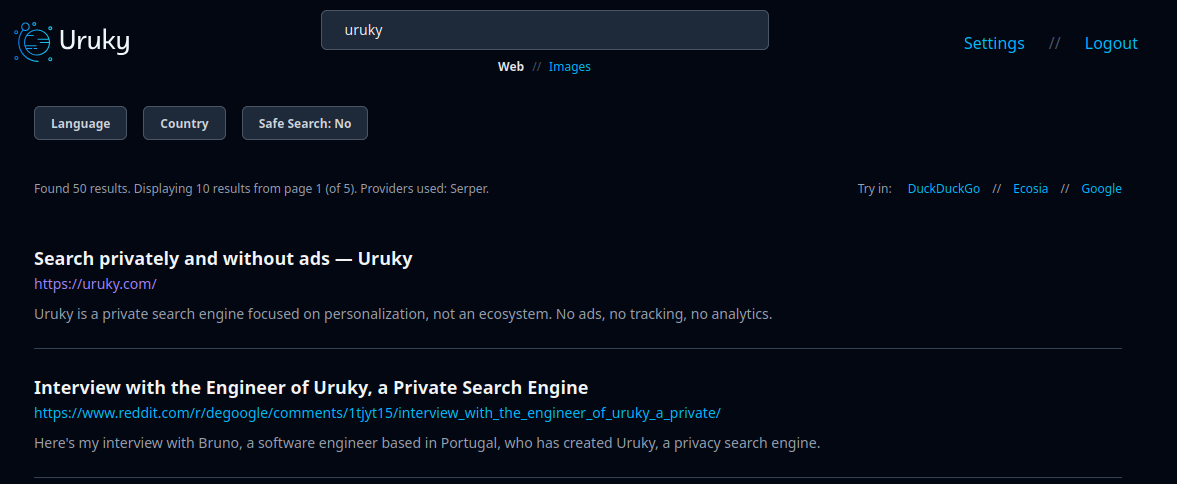
Uruky's user interface
I like that there are no distractions (no ads, of course) and that there is no AI interference. The toggles (Language, Country, Safe Search) are helpful and clear, and I like that there is a note stating which search provider was used (Serper, in the case above). There is a simple customisation page that looks like this:
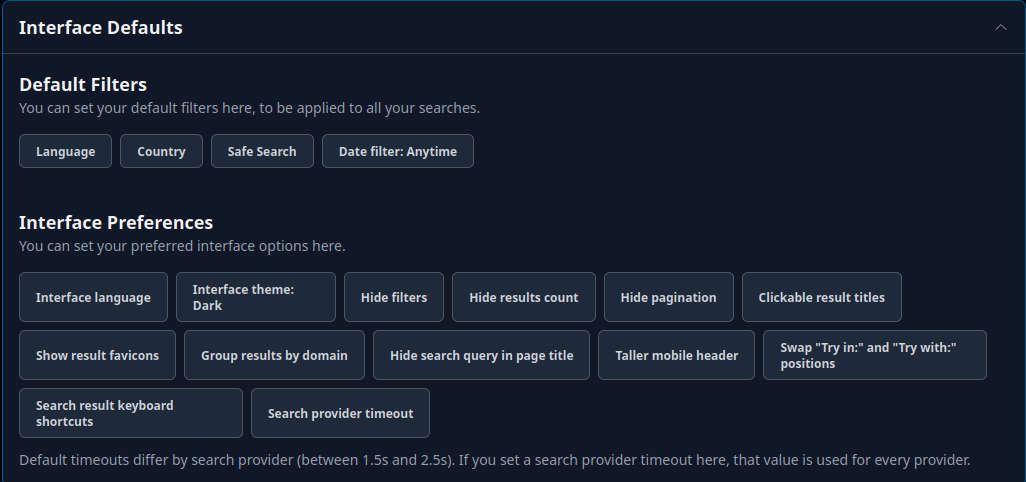
Uruky's user interface defaults page
I also really like that Uruky embraces its competitors by providing quick links to alternative search engines of your choice, which you can adjust in the Settings menu. This is another example of putting the user first above everything else.
- Openness to criticism and quick improvements
When I started communicating with Bruno, I sent some quite brutally honest critical feedback about my experience, most of which has now been addressed.
In all of our communications, I found Bruno interested and open to criticism. He really seems to want to provide the best private search experience possible. This attitude is a breath of fresh air compared to defensive attitudes I've experienced in my communications with some other privacy tool developers. Bruno seems to understand that honest feedback from the user is valuable material for improvement. When I gave him a heads up this week about the review I'm writing, he replied: "Is there anything I should fix?"
I've also found that changes are implemented quickly. One of my criticisms was a lack of image search. Within a couple of weeks, I saw image search in Beta and then a week or two later it was just part of the Uruky experience. Perhaps working in a small team has the advantage of a more flexible approach to problem solving.
- Anonymity
When you sign up for Uruky, you receive an account number. This is similar to when you start a subscription with Mullvad VPN. Using account numbers makes the experience more private than using an email address, but it does mean that you need to make sure to hang on to your number, for example, in a password manager.
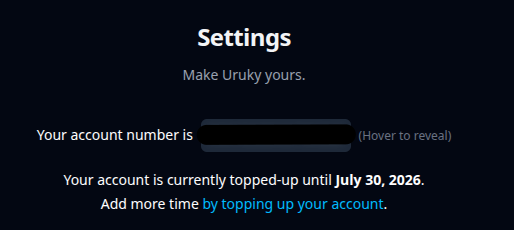
Uruky works with account numbers
- Data hosting & payment processing in EU
The FAQ states:
All servers and data are physically in the EU. All search providers are based in the EU or UK. Payment processing is done in the EU.
You can buy an account number using cash-by-mail, and Bruno is looking into cryptocurrency payment options, though this is a tricky field to navigate, precisely because Uruky is based in the EU.
- No AI
While the AI summaries at the top of a DuckDuckGo queries are undeniably useful, it does take traffic away from the people who wrote and published that information. Other than that, I don't find AI all that useful, and at work, where I continue using DuckDuckGo, I often find myself toggling search results to exclude AI generated content.
There is also the ethical issue: it is likely that my own blog articles, which sometimes take days to write and get right, were used to train the AI models everyone enjoys today. I haven't seen a penny from that, nor was I asked for permission.
So for me, I'm happy Uruky does not include AI features. They justify that decision along similar lines in their FAQ:
There are no plans to implement any AI features, for now. We find it hard to do in a sensible, responsible, and respectful way.
- Good search results
After making a few adjustments with the search providers, I now find Uruky works just as well as any search engine experience. If I have any doubts about the results I'm seeing, then I can quickly double-check against the mainstream search engines using the quick links in the top right corner of the page.
Hurdles to overcome
- Incognito URL
This is both a feature and a hurdle to overcome. When I first began using Uruky, I found I had to keep adding my account number to the main page each time I started a new session. This was in Firefox, and was expected behaviour; however, that wasn't an ideal experience because we do so many searches per day.
The workaround for this is something called an Incognito URL. Bruno has done his best to explain this to me, but it's over my head and I don't fully understand how it works. I do see that it has solved the issue. I now don't need to enter my account number with each new session.
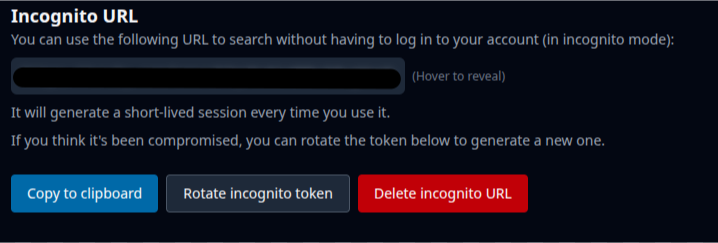
Incognito URL in Settings
More good news is that Incognito mode has now been updated to work automatically behind the scenes with any newly created account.
- Adding Uruky as your default search engine
For anyone used to making changes in their browser settings, adding Uruky as your default search engine will not be a problem. I do have some concerns that this might be a hurdle for someone who is not used to adjusting settings.
In Brave Origin, I pasted the Incognito URL into the browser bar, then went to Settings where I had to 'activate' the shortcut, after which it appeared in the list of search engines I could select as my default.
That's quite a few more steps than showing someone how to switch from Google to DuckDuckGo in their browser settings, something I show all my students every year. I don't think I could easily recommend Uruky to them in a similar way.
The FAQ does provide help:
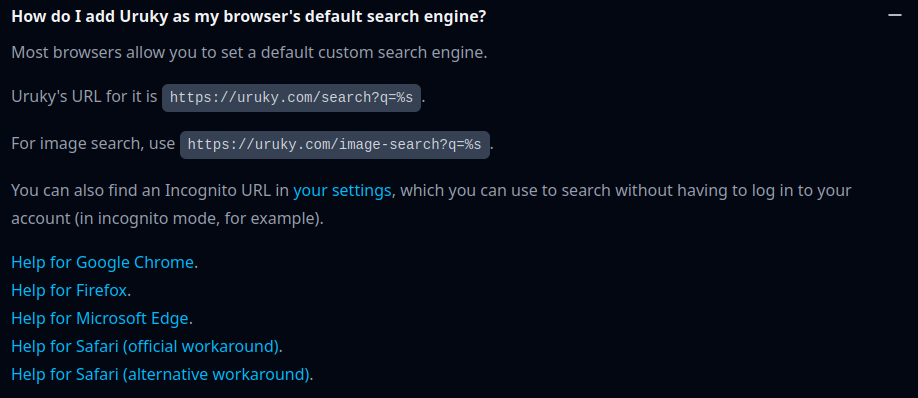
FAQ entry on adding Uruky as your default search engine
I think this could be made more prominent on the site, perhaps as separate entry in the documentation section or even a link on the main page, as all new users are going to need to set Uruky as their default search engine. Perhaps even a short video tutorial could do the trick here.
- Tweaking the order of search providers
The default order of search providers Uruky starts you with gave me surprising and sometimes irrelevant results. For example, when I search for a local concert venue with Mojeek as the top search provider, I get all kinds of links to reviews of concerts that took place there, but the direct link to the venue is nowhere in sight.
I do understand the thinking behind Uruky's search provider prioritisation: the providers at the top are the most private ones and based in the EU. However, for a search experience on par with DuckDuckGo's, I had to reorder the providers, placing Serper and Linkup at the top:
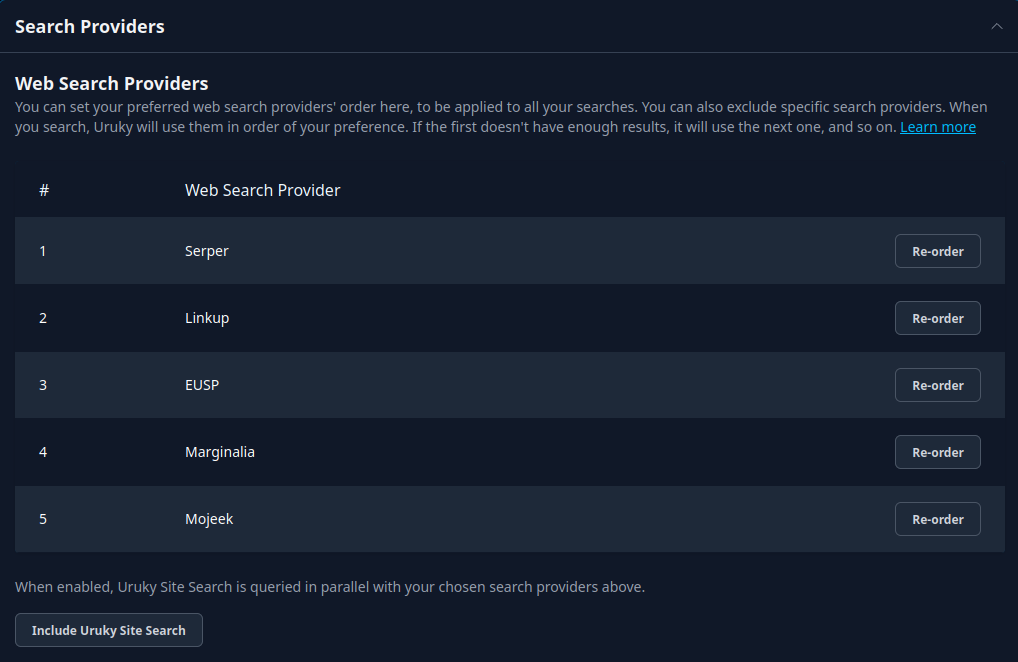
Search provider priority
I am concerned that this may put anyone not used to changing the settings in their software off. Some might walk away thinking Uruky provides puzzling results, when in fact they had the ability to customise their own experience to their liking all along.
- Limited image search
The FAQ states that Uruky has a separate default URL for search https://uruky.com/image-search?q=%s, but in my experience I just toggle to 'Images' directly underneath the search bar.1
Uruky uses two image search providers: Pixabay and Serper. I like the transparency on Uruky, as it tells you which search provider your images come from.
Image search does seem limited. When I type 'New York', Pixabay gives me 500 results, whereas a similar search using Google provides seemingly endless results. I do like that there is a small 'Try with Serper' option at the bottom of the page.
There are no dedicated video, news or maps search tabs in Uruky. I've not found this to be an issue, as I tend to search for that type of content within the relevant platforms or apps.
- Niche search results
As mentioned above, I haven't noticed a major difference in my search experience now that I've been using Uruky for some months.
Henry from Techlore explains one general difference between smaller privacy search engines and Big Tech ones in his article Private Search Engines: How to Search Without Being Tracked:
For highly specific, niche, or recency-sensitive searches like breaking news, obscure technical topics, or regional content—Google's index depth and query understanding can still sometimes produce better results.
It probably depends on the type of user you are whether or not finding breaking news or locally-focused content is going to be an issue.
Additional features
There are a number of additional features that I either haven't had time to play around with or don't understand how to use myself, such as URL rewrites. The FAQ and the Documents pages are a good starting point, and I imagine that for someone slightly more technical and up-to-date on how search works, Uruky provides a fun playground of features.
It's a good thing Uruky provides scope for learning and that the site encourages you to find out more about how your searches work, rather than giving you a black box experience.
Final thoughts
From my conversations with Bruno about his project, I have learned that starting up a privacy-first tool with a very small team is challenging. With AI looming, these are not easy times for software engineers to begin with, and a project like Uruky requires time, skill and personal financial investment.
Listening to Bruno describe the ups and downs of the project, you get a strong sense that the privacy software world is a sink-or-swim environment, especially if you are attempting to run a service that costs money and you need a certain minimum number of subscribers just to break even.
I will continue using and supporting Uruky because I like the product, but also because I think it is important to support engineers like Bruno, who put their time and energy into creating good privacy alternatives, broadening the range privacy software we can choose from.
While companies like Proton aim to provide an all-in-one solution for privacy tools, I have been around long enough to understand that privacy tools come and go, are bought and sold, and that the community interested in using privacy tools does not suffer compromise on privacy lightly.
This is why having a range of different projects will be better for all of us in the long run. Uruky is one example of a good project contributing to that wider range of choice, and hopefully a healthy, private future for everyone.
Documentation
Interview with the Engineer of Uruky, a Private Search Engine
Other search engines
Further reading
5 privacy-focused alternative search engines to Google
Techlore "Private Search Engines: How to Search Without Being Tracked"
Show HN: Uruky (EU-based Kagi alternative) now has Image Search and URL Rewrites
-----Discuss on Mastodon-----
Find me on Mastodon.
| Previous |
|---|
It is possible to use something called a 'bang' to search for images immediately. Typing '!i' before any search term (like !i apples) will take you directly to image results.↩