The Joy of Working with Text Interfaces
This post was last edited 1 month, 1 week ago.
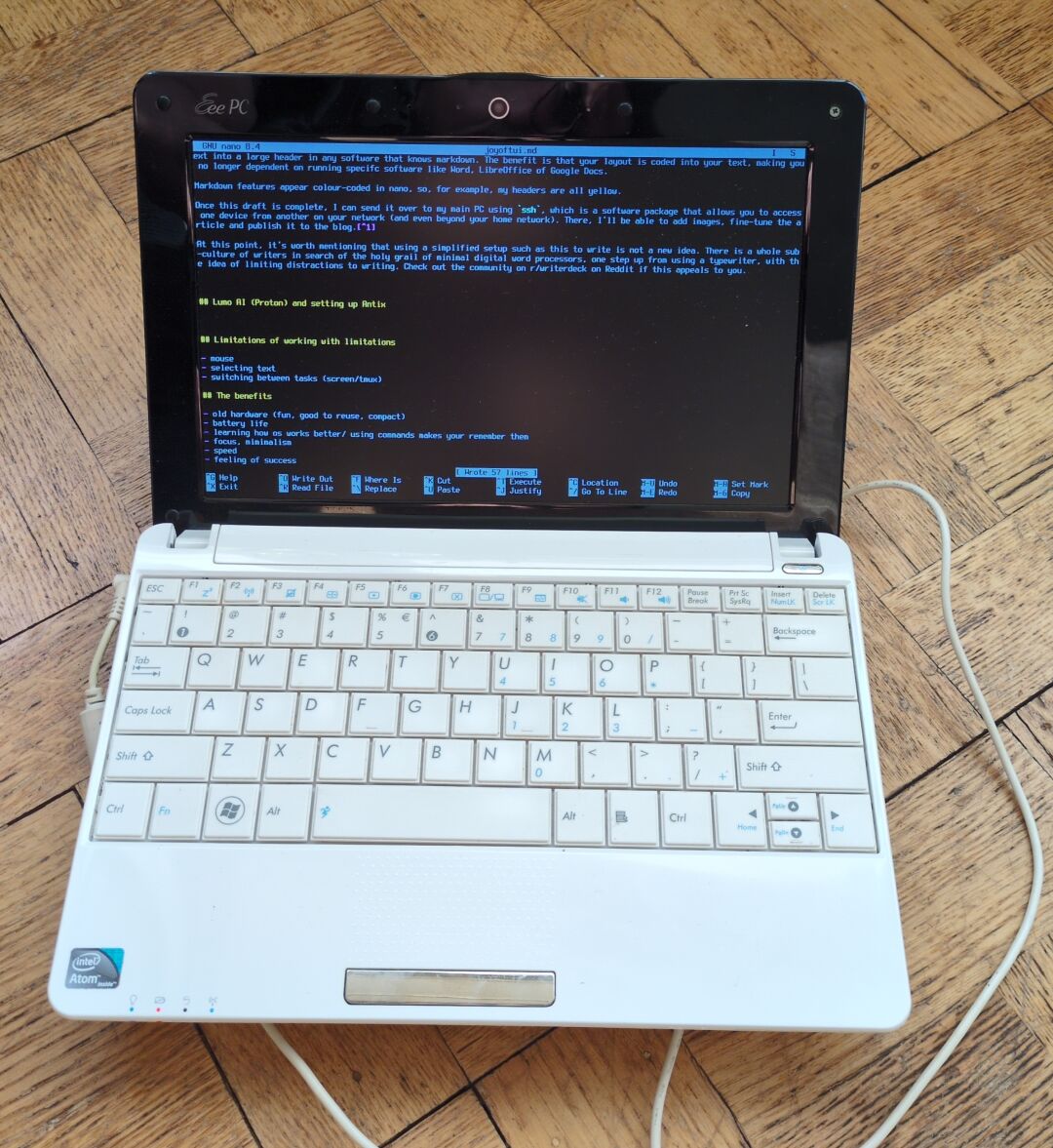 Asus Eee PC with antiX Core Linux for blogging
Just days after extolling the benefits of reducing your number of devices and privacy projects in It's OK to Take a Break from Thinking about Digital Privacy, I ignored my own advice and started an installation of antiX Core Linux on a very old Asus Eee PC netbook.
As always, I wanted to explore what's possible (can a 2007 netbook still be useful in 2026?) and learn more about Linux.
To my surprise, I really enjoyed setting up and using a text-only netbook. A device with such a limited amount of software has benefits for privacy as well, as there just aren't many services to share data with.
Having written this article on the netbook makes me wonder if perhaps this isn't just another experimental privacy project and could become a tool for daily use.
Hardware and software
The Asus Eee PC netbook I bought on a street market for the price of a couple of beers, and I had fun taking it apart with one of my kids in order to get the keyboard and screen to work properly. The hardware is so old that it runs on 32 bits (instead of today's 64), and so you have to hunt around a little for a Linux distro that still supports 32 bit hardware.
antiX Linux is a very light distro that can run on old devices with limited processing power and memory. I had previously experimented with antiX Base Linux on the Eee PC, but the graphics made some operations quite slow, and I began to wonder if a text-only operating system might help speed things up.
antiX Core Linux CLI is the most bare bones version of antiX. It has no graphical desktop and comes with a minimal amount of software packages preinstalled.
Interfaces
There are two ways users can 'interface' with a device using text: CLI and TUI. CLI stands for 'Command Line Interface' and TUI for 'Terminal User Interface'. Command line text can be used to update your operating system (confusingly, this is done in a window with a black background called a terminal emulator) and perform all kinds of other operations. Examples of such commands are sudo apt update and cd ~/Documents/. With these commands, you can navigate within your operating system and execute programs to run, the same as you would with a mouse pointer in a normal GUI, or Graphical User Interface, such as Windows, MacOS and most modern Linux desktop distributions.
Interestingly, the text commands are closer to the core of the computer's processes than the graphical layer (folders, icons, etc.) is. The graphics we see is a secondary system on top of the basic command structure of our software.
A TUI is a combination of text and graphics. Everything is still in text, but textual elements (characters, punctuation marks, lines) are also used to create graphical elements like boxes, highlights and even little cartoon-like figures, such as philosophical animals in cowsay:
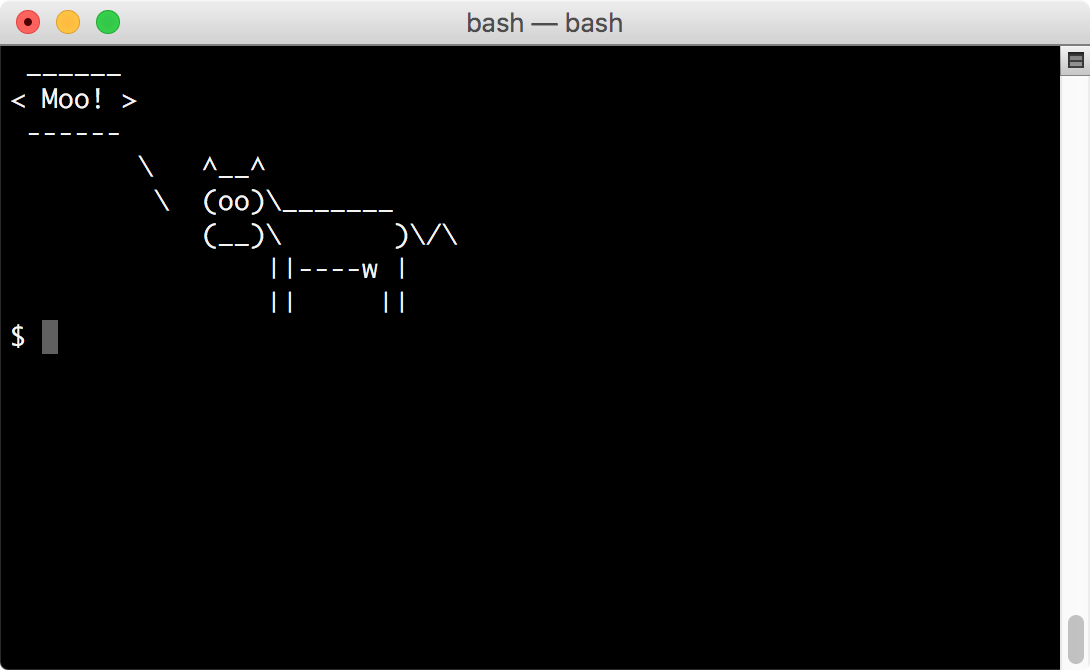 A cow made from text characters
I am typing this on the netbook in a Terminal User Interface called nano, which is a simple text editor that displays a header with the filename at the top, and a small menu of command shortcuts (for 'find', 'cut' 'paste') at the bottom. The text I'm typing appears in the middle. It's very simple, but there is a sense of a visual framework of the program.
Which reminds me, nano does not autosave like its GUI counterparts, and so I've just typed Ctrl+O, then Enter to save what I'm working on here!
Minimalism, Markdown and writerdecks
While it's true I ignored my own advice in the previous article, it could be argued that this particular minimalist project does fit into the realm of things that are good for mental health.
As I'm typing, all I see is the textual interface. I don't know how to switch to another application, or if that's even possible. While you can visit websites with a TUI browser such as lynx, distractions while writing are severely limited. This makes the netbook a very deliberate writing tool, encouraging focus on what you're actually trying to say.
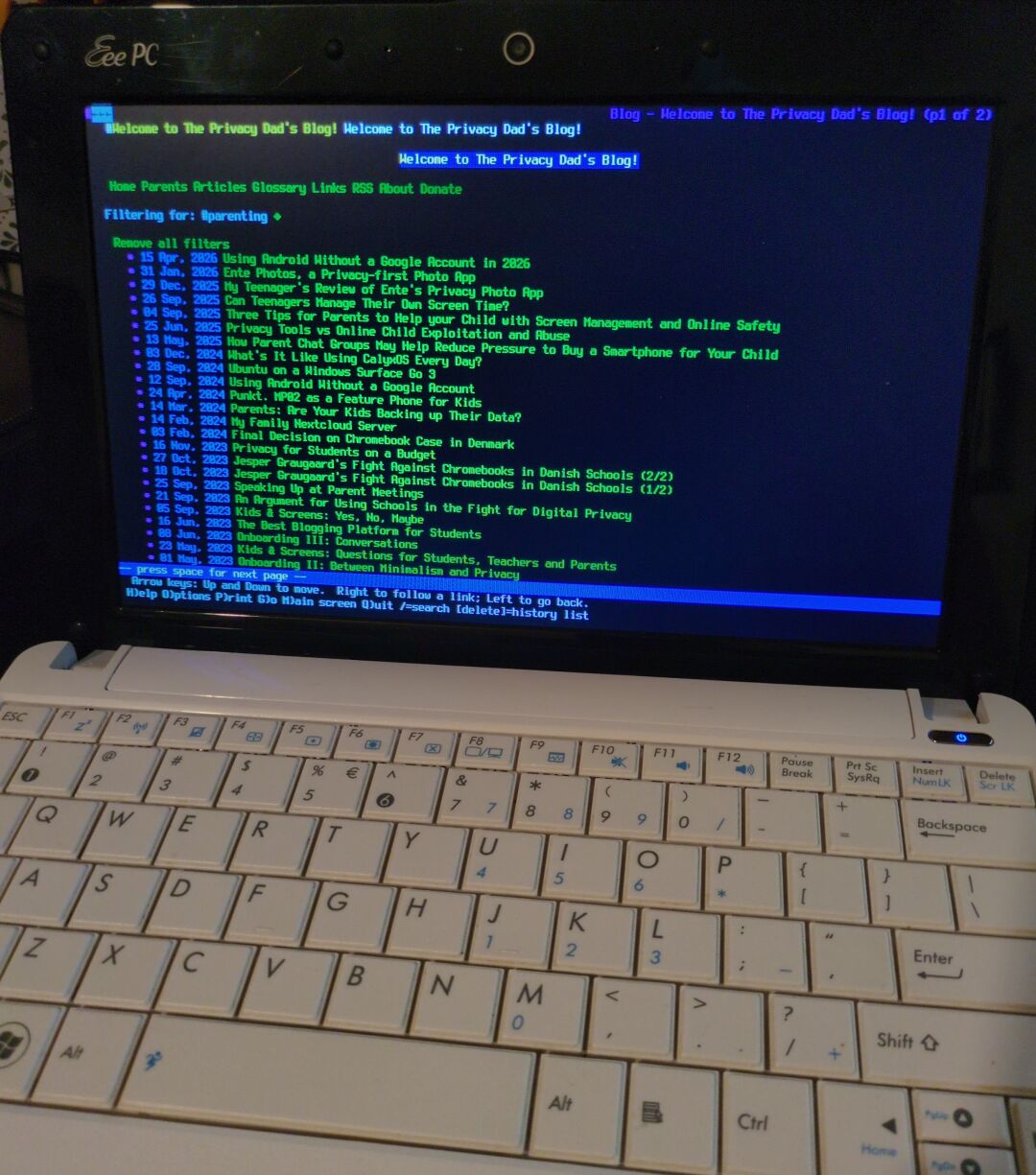 My parenting articles on Lynx' text-based browser
I'm using Markdown to write this. I plan to publish a separate article on using Markdown and a software package called Ghostwriter, but to summarise: Markdown allows you to enter layout information (headers, links, bullet points) by inserting text symbols into the words you're typing. So, for example, adding a '#', followed by a space and then some text will turn that text into a large header in any software that reads Markdown symbols. The benefit is that your layout is built into your text, making it independent from Word, LibreOffice of Google Docs and other word processing software. You can even save a text written in Markdown as a simple .txt file, and later import it into any Markdown editor, and all the text's layout will show correctly.
Markdown features appear colour-coded in nano, so, for example, my headers are all yellow, which is useful.
Once this draft is complete, I will send it to my main PC via my home Local Area Network (LAN) using a program called scp, which enables sending files from one device to another using text commands. Once it's on the main PC, I'll be able to add images, fine-tune the article and publish it to the blog.1
Using a simplified hardware setup for writing is not a new idea. There is a whole sub-culture of writers in search of the holy grail of minimal digital word processors, one step up from using a typewriter, with the hope of limiting distractions to writing. Check out the r/writerdeck community on Reddit if this appeals to you. One concern I have when browsing such forums is that the focus might be more on the technology itself rather than writing, but it's all good fun.
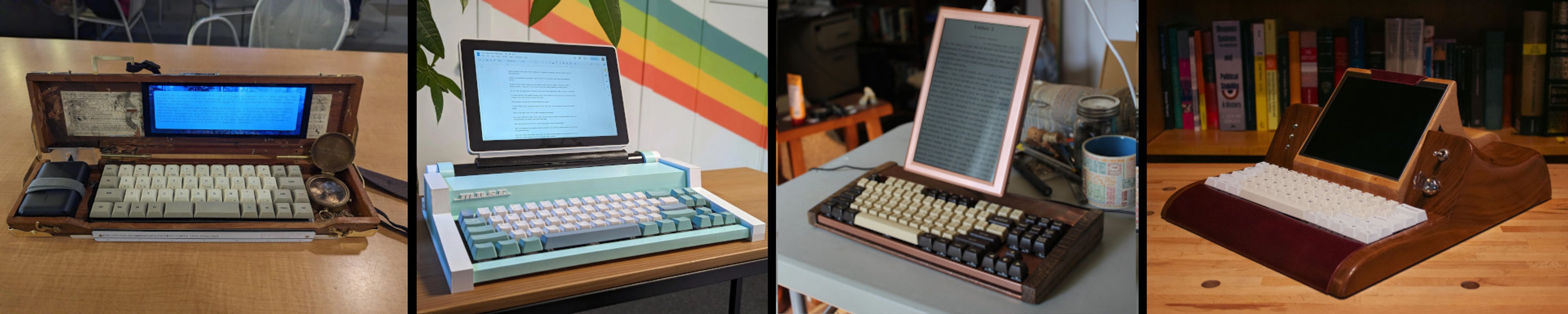 from writerDeck.org
The writerdeck subculture fits into the concept of digital minimalism. I went to a Chinese hotpot restaurant the other day where I could not order food without a smartphone. My friend's fridge broke down the other day and he's telling me new fridges have AI built in to keep track of your energy usage and your food store. Digital minimalism (see author Cal Newport) is a movement that tries to resist the collective fall into unnecessary networked living. I feel that simple text-based netbooks for writing fits nicely into that philosophy.
Lumo AI (Proton) and setting up antiX
Installing antiX Core Linux CLI on the netbook was not too difficult, but getting WiFi and ssh to work correctly was. I've kept away from most AI tools up until now, because I'm concerned about where my prompts, questions and thoughts are stored. Enter Lumo Ai by Proton (from Proton Mail, VPN, Drive, etc.). Lumo works just like any other AI chatbot, but it doesn't pass your words on to somewhere else.
While some tests I did with steelmanning arguments and devil's advocate prompts revealed Claude and ChatGPT are more nuanced, I have found Lumo to be a reliable and private AI 'partner', especially when it comes to helping me solve Linux related problems that are slightly beyond my ken. Lumo helped me fix the connectivity problems I was having, and because it explains what it is doing, you end up learning a lot.
One tip when using AI to help you with your operating system or other software: ask it to present one step at a time, allowing you to interact and enter results as you go. If you don't, it will keep sending a whole plan of things to do in 7 steps, whereas you might find you need a different route after feedback from step 1.
Limitations of working with limitations
Working with limitations has its own reward. Poets choose to write sonnets with strict metric and rhyme rules, as solving those puzzles can help you write surprising things. But there are also obvious hurdles and frustrations when working with a severely limited operating system like antiX Core CLI.
One thing I sometimes miss is the mouse. While typing this, if I see a mistake a few paragraphs up, I have to use the arrow keys to get there, and hit a key combination to select and cut text. Simple operations take more time.
I also miss the easy switching between windows that I've gotten used to. In a normal graphical desktop, you can have several operations going simultaneously, and even have several different desktop work areas open for different purposes (updates, work, socials, etc.). All of that is missing here: there is just one operation on screen. I can use tools like screen or tmux to manage different tasks simultaneously, but this is nowhere near as intuitive as using a modern window manager.
Basic click-and-drag movements, like moving a file to a different folder, need to be typed out as commands, but you get used to that, and pressing arrow up reveals previously used commands.
When I opened this draft on my main PC, I noticed I'd missed more spelling mistakes than usual. Nano does not have a spellcheck, as far as I'm aware. It was also more cumbersome to copy and paste hyperlinks into the draft text for the blog, so I just left that for now.
I miss being able to quickly check something online and copy links into my draft. I couldn't quite remember if the 'A' in LAN stands for 'Area' or 'Access' and so I had to get my smartphone out to check (it's Area). That would have been much more cumbersome on the netbook itself.
The benefits
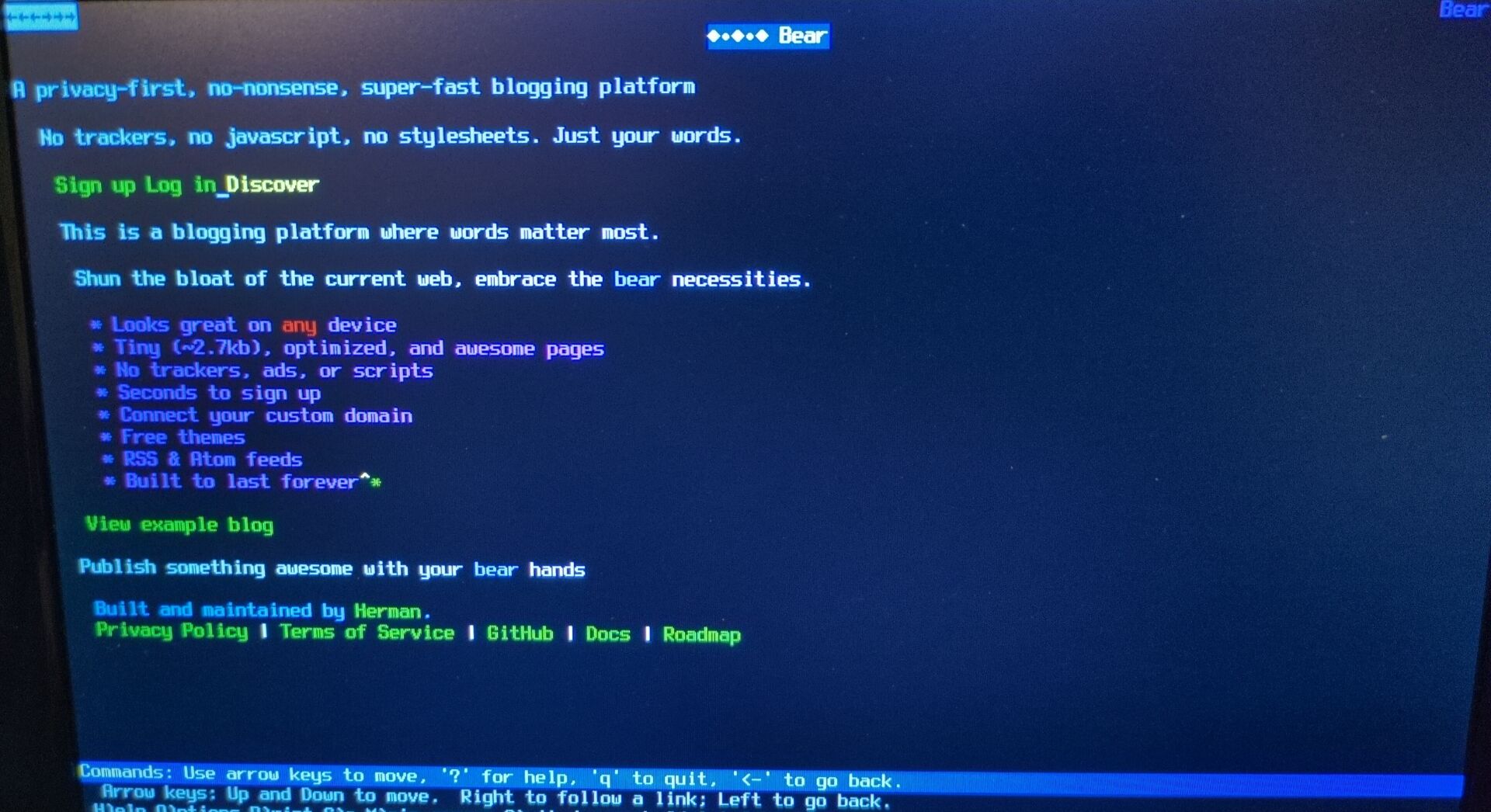 Bear Blog's homepage in text
I'm discovering there are real benefits to using a text-only system.
It feels amazing to boot up hardware sold in 2007 and find it works fast, is compact, snappy and fun to use. Power consumption is minimal, as are the demands on processing power and memory.
It is empowering to learn the commands behind the visual moves and clicks we normally do with our mouse. Also, in a text-only operating system, you use these commands all the time, which makes you remember them better.
I wonder if minimalist hardware and software communities are rather more interested in 'can it be done?' instead of actually using these technologies, but I must admit that writing on a device that I can only really type on, and nothing else, does help create a much stronger focus on the process itself, and on thinking about what it is you want to say.
Just getting antiX Core working, with some help from Lumo, gives a sense of achievement. It's rewarding to try something that's just beyond what you're comfortable or familiar with.
Lastly, there's a whole world of text-based software to explore within the world of CLI and TUI: games, audio tools, reading tools, organisational tools and even social media tools. Again, an AI may be able to point you in the right direction here.
Conclusions
Time will tell whether or not I keep writing all my blog posts on this 'deckwriter' or eventually return to my desktop computer, but for the moment, I'm having a blast with some really old technology. This is thanks to the efforts of Linux programmers who keep operating systems for 32 bit devices like antiX Core going, and I am thankful to them for the joy this has brought me!
Documentation
AntiX Core - Guide to a custom install
On Digital Minimalism by Cal Newport
Series on steelmanning opposing viewpoints
-----Discuss on Mastodon-----
Find me on Mastodon.
| Previous |
|---|
It is possible to publish directly from antiX Core ClI to a blog, but I decided that was a bit too hard-core for me.↩